Agent side · OSSbuy
How to order with OSSbuy, from a pasted link to your door
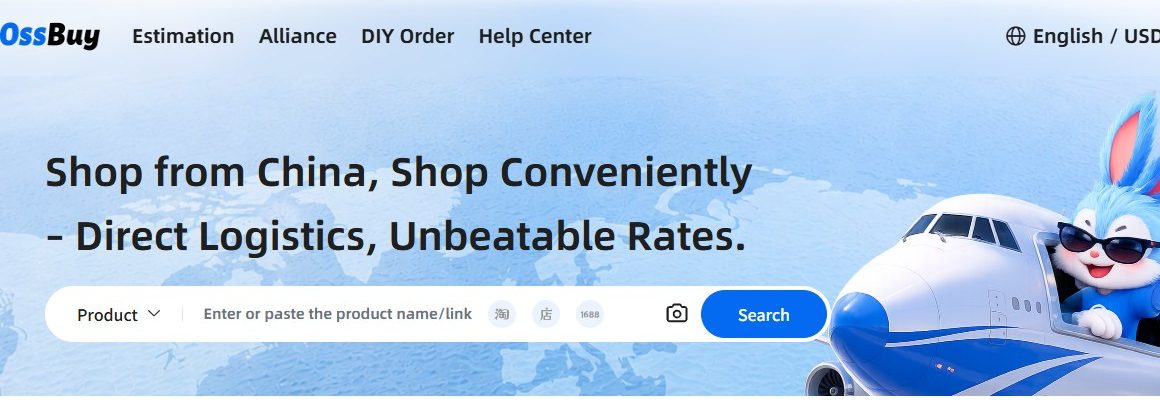
OSSbuy is a China shopping agent (代购): it buys items from Taobao, Tmall, 1688, Weidian, and Yupoo on your behalf, receives them at its own warehouse, inspects them, and forwards them to you. Its own tagline is "Shop from China, Shop Conveniently — Direct Logistics, Unbeatable Rates." Here is the whole flow in plain English, with the moment your money is committed clearly marked.
Spec summary
To order with OSSbuy: paste the seller link (or use Fill&Buy for a messy one), pay for the item and its domestic shipping, let OSSbuy receive and QC it at their China warehouse, approve the photos, then consolidate and pay international shipping to your door.
- Two front doors: buy-for-you or Forwarding parcels you bought elsewhere.
- Your money first commits when you pay for the item and domestic shipping.
- International shipping is a separate, later charge — after QC and consolidation.
- Fees and timings are set by OSSbuy; confirm them in the app before you pay.
Two ways to use OSSbuy
Most beginners only know the first one. OSSbuy actually gives you two front doors, and knowing both saves money on parcels you've already bought elsewhere.
1 · Let OSSbuy buy for you
Paste a seller link (or use Fill&Buy / DIY Order to enter the details by hand), pick your variant, and OSSbuy purchases from the seller and receives it at its warehouse. This is the normal spreadsheet-to-agent flow.
2 · Forward parcels you already bought
OSSbuy's Forwarding feature gives you a China warehouse address. Ship your own purchases (or another agent's) there, enter each tracking number, and OSSbuy consolidates and forwards them internationally — the same QC, consolidation, and shipping choices apply.
Keep your tracking number private. For forwarded parcels, the tracking number is what proves the package is yours at the warehouse — treat it like a receipt, not something to share publicly.
One link is all you carry across
OSSbuy is a paste-link agent. The only thing that travels from the spreadsheet to the agent is the seller URL — a Taobao, Tmall, 1688, Weidian, Xianyu, or Yupoo link. Paste it into OSSbuy's search, and the agent opens that exact listing so you can set your variant and let it buy on your behalf.
No re-typing product names, no screenshots to a human — the link is the handoff.
The order flow, step by step
Submit the product
Paste the seller link, or open Fill&Buy / DIY Order and enter the details by hand: product link, name, specification (size / colour), an optional remark for the seller, plus the product price and domestic shipping in CNY. You can attach an image so the agent buys the exact item.
Pay for the order
You pay the product price plus domestic (China-side) shipping, shown converted to USD. This is the commit point. Note: international shipping is not included here — OSSbuy states it's calculated separately when you later submit your parcel. You can also Add to Cart and pay for several items together.
Seller ships to the OSSbuy warehouse
Goods arrive at OSSbuy's China warehouse and sit under your account in the Warehouse tab. Nothing has crossed a border yet, so this is the cheap moment to fix problems.
Quality inspection
OSSbuy photographs each item and checks size, colour, and obvious defects. You review the QC photos and decide keep, re-shoot, or refund. Learn to read QC photos →
Rehearse, then consolidate
Use OSSbuy's Rehearsal (trial parcel) to preview how your items combine and estimate the shipping before you commit, then submit the ones you want as one Parcel. Consolidation is what makes international shipping affordable. How weight and consolidation work →
Choose a line and pay international shipping
Pick a shipping route for your country, optionally add Loss & Damage protection, and pay the international leg from your Wallet. Use OSSbuy's freight estimate to compare routes and figures first.
Track and receive
Follow the parcel to your door and keep your order records in case you need support or a claim.
Which platforms OSSbuy buys from
If a spreadsheet find links to one of these Chinese marketplaces, OSSbuy can order it. That covers almost every link you'll meet on a W2C spreadsheet.
What OSSbuy handles for you
Buying from Chinese sellers who don't ship abroad, consolidating multiple orders, quality inspection, warehousing while you shop, and international forwarding with buyer protection options.
What stays your responsibility
Picking the right size and variant, checking QC photos, choosing a sensible shipping line, understanding your country's import rules, and confirming current fees before you pay.
Good habit: screenshot the seller listing (price + variant) when you order. If a QC photo doesn't match, that screenshot is your reference for a re-shoot or refund request.
Ready to place a real order?
Find an item on W2CSpreadsheet, then open OSSbuy to paste the link and set your variant.